
What Is a Domain Name? The Complete Guide to DNS, Registration & Availability
"What is a domain name" is one of the most-searched questions on the internet about the internet itself — and it's usually surrounded by a cluster of related confusion: DNS, name servers, IP addresses, hosting, WHOIS, and whether a "free domain" really exists. This guide answers all of it in plain English, in one place, with real examples — no jargon left unexplained.
Add ZeroTaken as a preferred source on Google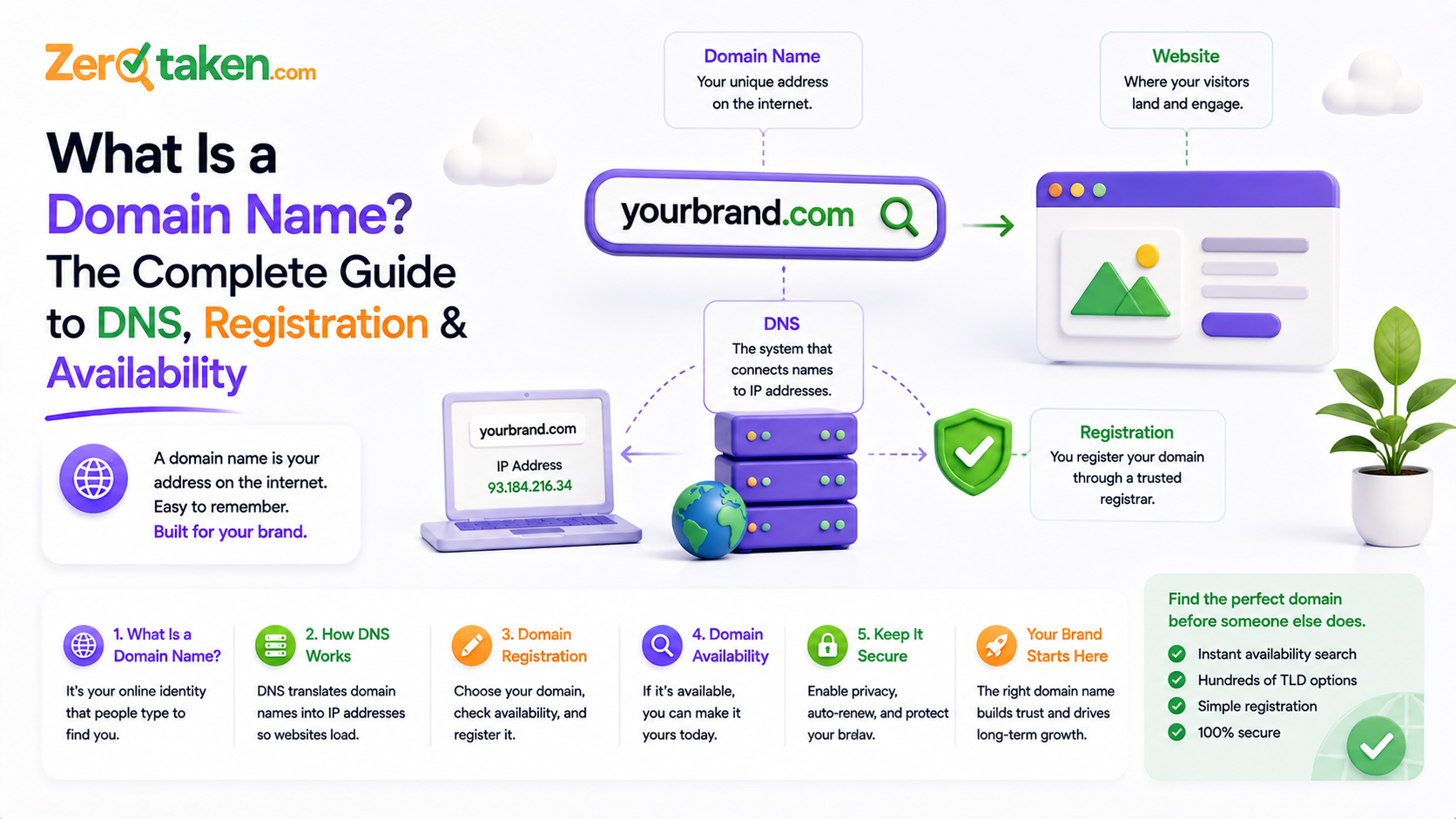
What Is a Domain Name?
A domain name is the human-readable address people type into a browser to reach a website — for example, zerotaken.com. Behind the scenes, every website actually lives on a server identified by a numerical IP address (something like 192.0.2.10). Nobody wants to memorize strings of numbers for every site they visit, so domain names exist as a friendly stand-in that gets automatically translated to the right IP address every time someone visits.
A full domain name is made up of two core parts: the second-level domain (the unique part you choose, like "zerotaken") and the top-level domain or TLD (the suffix, like ".com", ".io", or ".org"). You register the combination of the two — you can't register just ".com" on its own, and you can't use a second-level name that's already taken under that specific TLD.
What Is the Domain Name System (DNS), and What Is a Name Server?
The Domain Name System (DNS) is the internet's directory service — it's the system that looks up a domain name and returns the IP address it points to. Every time you visit a website, your device quietly performs a DNS lookup before the page even starts loading.
A name server (sometimes called a DNS server) is a specific machine that stores and answers those lookups. Finding a domain's location usually involves checking a few name servers in sequence: a root server (which knows where to find servers for each TLD), a TLD server (which knows which company manages that specific domain), and finally the domain's own authoritative name server (which holds the actual DNS records — where email goes, which server hosts the website, and so on). In practice this whole chain resolves in a fraction of a second and is invisible to the person browsing.
Domain Name vs. Website vs. URL: What's the Difference?
These three get used interchangeably, but they're not the same thing. The domain name is just the address (zerotaken.com). The website is the actual content — the pages, images, and code — that loads when someone visits that address. The URL is the complete, specific location of one page, including the protocol, any subdomain, the domain, and the path: for example, https://www.zerotaken.com/blog is a URL, and zerotaken.com is the domain name embedded inside it.
You can think of it like a physical address: the domain name is the street address, the website is what's actually inside the building, and a URL is the full set of directions to one specific room.
What Is an IP Address, and How Does It Relate to a Domain?
An IP address is a numerical identifier assigned to every device connected to the internet, including the servers that host websites. Domain names exist purely for human convenience — DNS is the layer that maps a memorable name to the actual IP address a computer needs to connect to the right server. Without DNS, you'd have to know and type a server's raw IP address to visit any website.
Generate Domain Name Ideas Instantly
What Does "Domain" Mean in an Email Address?
It's the exact same concept, just used for mail routing instead of web browsing. In an address like you@yourcompany.com, everything after the @ symbol is a domain name — yourcompany.com. Special DNS records (called MX records) attached to that domain tell the internet which mail servers should receive email for it.
This is a common point of confusion: your email domain doesn't have to be the same domain as your website, though for a business it usually should be, for consistency and trust. You can also run email on a domain that has no website behind it at all — the two are independent as long as the DNS records are set up correctly.
What Is Web Hosting, and Is It the Same as a Domain?
No — they're two separate products that are often confused (and sometimes bundled by the same company, which adds to the confusion). The domain name is the address. Hosting is the actual server space where your website's files live. You need both to have a working website: the domain points visitors to the right place, and hosting is what's actually sitting at that place. Buying a domain does not automatically create a website — you still need something (hosting, a website builder, or a platform) for the domain to point to.
What Is WHOIS ("Who Is")?
WHOIS is a public lookup protocol that returns registration information for a domain — who registered it (or the registrar's redacted contact info, since most personal details are now hidden by default under privacy rules like GDPR), which registrar it's with, when it was registered, and when it's due to expire. It's the standard way to check who's behind a domain, verify a domain's age, or find out exactly when a domain you want might become available again.
What Is Domain Registration, and Is a "Free Domain Name" Really Free?
Registering a domain means paying an accredited registrar for the right to use that specific name for a set period, usually one to ten years, renewable. You never truly own a domain name outright the way you own physical property — you're leasing the rights to it, and it reverts to being available again if you don't renew.
A genuine custom domain — something like yourbrand.com — is not free; expect roughly $10–$20 a year for a standard .com, with other TLDs priced differently. What's usually marketed as a "free domain" is either a subdomain of someone else's platform (like yourbrand.wordpress.com, which you don't control and can't take with you) or a short first-year promotional discount from a registrar that renews at full price later. Both are worth knowing about before you commit to a name.
Check Domain Name Availability in Seconds
How Do You Check If a Domain Name Is Available?
A domain is available if nobody currently holds an active registration for that exact name-and-TLD combination. Checking properly involves more than a quick search-engine query — a reliable check looks at DNS records, then the registry's official RDAP/WHOIS data, since a domain can have no live website yet still be registered (and therefore unavailable).
The fastest way to check is with a dedicated domain-availability tool rather than guessing from search results — ZeroTaken's checker, for example, verifies a name against live DNS and registry data across multiple TLDs at once, so you get an accurate available/taken answer instantly instead of finding out at checkout.
How Do You Buy a Domain Name, and Where Should You Register It?
The process is straightforward: search for the name you want at a registrar, confirm it's available, add it to your cart, provide contact details (or opt into WHOIS privacy), and pay. Registration is typically active within minutes.
Registrar choice matters more than it used to — pricing, renewal rates, and how aggressively a registrar upsells extras vary a lot between providers. Namecheap, Porkbun, Cloudflare, Hostinger, and IONOS are all commonly used options with straightforward pricing; whichever you pick, read the renewal price (not just the first-year price) before you buy.
What Makes a Good Domain Name for a Business?
A strong business domain is short, easy to say out loud, easy to spell after hearing it once, and free of hyphens or numbers that people forget or mistype. Ideally it matches your business name so customers can find you without guessing, and it's available on at least the TLD you plan to use as your primary web address — .com if you can get it, a credible alternative if you can't.
It's also worth checking that a name is free (or close to free) as a social media handle before you commit, and, if you're not sure where to start, generating options and checking their availability at the same time saves a lot of back-and-forth — which is exactly what a tool like ZeroTaken is built for: describe your idea, get brandable name suggestions, and see what's actually available in one pass.