
How Do You Transfer a Domain to a New Registrar Without Losing It?
A domain transfer sounds terrifying the first time you do one — you're picking up the single asset your whole brand points at and handing it to a different company, and the horror stories are all about sites that went dark or names that got stuck in limbo for a week. In reality a registrar transfer is a boring, well-defined process with maybe four things that can bite you, and every one of them is avoidable if you know it exists before you click 'transfer.' Most people don't, which is why the internet is full of panic posts about email dying mid-move. This guide walks the whole thing: why you'd transfer at all, exactly what has to be true first, the step-by-step, the one mistake that actually causes downtime, and the cases where the smart move is to stay put.
Why would you move a domain to a new registrar at all?
The most common honest reason is renewal price. Registrars love a $1 first-year promo and a $22 renewal, and once you own a few names the gap between a cheap registrar and a gouging one adds up to real money every single year. Transferring to a registrar with sane renewal pricing pays for itself indefinitely — that's the transfer worth doing.
The other legitimate reasons are consolidation and control. If your names are scattered across three registrars you signed up with over the years, pulling them into one account means one renewal date to watch, one place your billing lives, and one dashboard instead of a scavenger hunt when something breaks. And some registrars simply give you more — free WHOIS privacy, DNSSEC, better DNS management, registrar-lock and two-factor that actually work — while others nickel-and-dime you for each. What's rarely worth it: chasing a headline first-year price. A transfer usually adds a year at the new registrar's standard rate, so a $0.99 'transfer-in' deal that renews at $20 is not a saving, it's a trap with a delay on it.
What has to be true before you can transfer?
Most failed transfers fail before they start, because the domain wasn't eligible and the person didn't check. ICANN and the registrars enforce a short list of preconditions, and all of them are things you control — but you have to satisfy them at the losing registrar first, not the new one. Run this checklist before you pay for anything:
- The 60-day lock hasn't got you: a domain registered — or transferred — within the last 60 days cannot be transferred again. This is an ICANN rule, not a registrar quirk, and there's no override. If you just bought the name, you wait.
- The domain is unlocked: registrars set a 'transfer lock' (also called registrar lock or clientTransferProhibited) by default as anti-hijacking protection. You toggle it off in the domain settings at your current registrar.
- You have the authorization code: the EPP code (a.k.a. auth code or transfer secret) is the password that authorizes the move. You request it from the losing registrar; it's often emailed or shown in the dashboard.
- WHOIS privacy may need to come off briefly: some registrars won't release the auth code or the confirmation email until privacy is disabled, because the transfer approval goes to the registrant's real contact email. Turn it back on the moment the transfer completes.
- The admin email is valid and you can read it: the approval/confirmation email lands at the registrant contact address on the WHOIS record. If that's an old inbox you can't access, fix the contact email first or the transfer stalls silently.
- You're not right up against the expiry date: transferring a name in its final week (or in redemption) is asking for trouble — renew it first, then transfer.
How does a domain transfer actually work, step by step?
Once the domain is eligible, the mechanical part is short and mostly waiting. Here's the real sequence, in order:
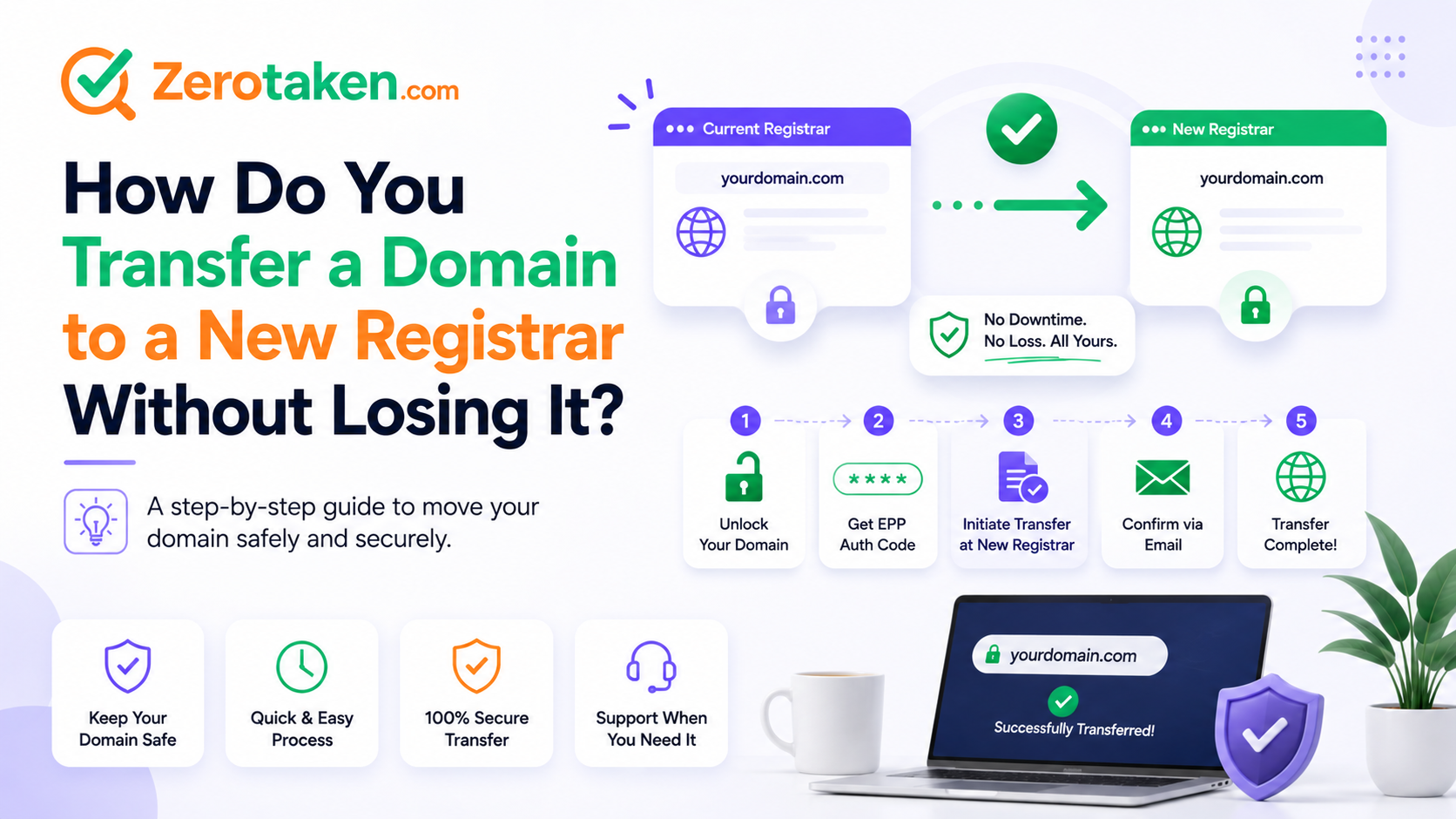
- 1. At your CURRENT registrar: unlock the domain, disable privacy if required, and request the EPP/auth code.
- 2. At the NEW registrar: start a 'transfer in,' enter the domain, and paste the auth code when prompted. You pay here — this is where the one-year extension is charged.
- 3. Approve the transfer: you'll get a confirmation email (usually from the losing registrar, sometimes the gaining one). Click to approve. Some registrars let you approve from the dashboard to skip the email entirely.
- 4. Wait out the ICANN window: transfers can take up to five to seven days by design. If you approved explicitly, most complete in a few hours to a day; if you do nothing, they auto-complete at the end of the window as long as the losing registrar doesn't reject.
- 5. Confirm it landed: once done, the domain appears in the new account and a fresh 60-day transfer lock starts. Re-enable WHOIS privacy and registrar lock, and double-check your nameservers survived the move.
Will my website or email go down during the transfer?
This is the fear, and here's the reassuring truth: a registrar transfer moves who manages the registration, not your DNS, your hosting, or your email. If your nameservers stay the same through the move, your site and mail keep resolving the entire time — visitors never know anything happened.
The downtime people actually experience comes from one specific mistake: they were using their old registrar's nameservers and DNS hosting, and the transfer (or a well-meaning 'reset to defaults' at the new registrar) wiped those records. The fix is to stage DNS before you transfer, not after. Snapshot every record you have — A, AAAA, CNAME, MX, TXT/SPF, the lot — and either keep the exact same nameservers pointed at an unchanged DNS host, or recreate all those records at the new registrar's DNS before you flip anything. A quick DNS lookup (ZeroTaken's DNS and WHOIS tools are built for exactly this pre-flight check) gives you that record snapshot so nothing gets dropped in translation. Do that, and 'will it go down' stops being a question.
What does a transfer cost, and do you lose the time left on your domain?
Good news on both counts. A transfer almost always costs one year of registration at the gaining registrar's price — not a separate 'transfer fee' on top. And ICANN requires that year to be added to your existing time, not replace it: if you had eight months left, you end up with one year and eight months. You don't forfeit what you already paid for. (A handful of ccTLDs handle this differently or transfer for free, but for .com/.net/.org and most generic TLDs, add-a-year is the rule.)
The only way you lose money here is by transferring a name that was about to expire and letting the timing go wrong, or by moving to a registrar whose renewal price is worse than the one you left. Do the math on the renewal rate, not the transfer-in promo — that renewal number is what you'll actually pay every year you own the name.
What can go wrong, and how do you avoid it?
Transfers are reliable, but the failure modes are annoyingly quiet — they tend to stall rather than error out loudly. These are the ones that actually happen:
- The auth code expired or was mistyped: EPP codes can time out or be rejected for a stray character. If the transfer won't accept it, regenerate a fresh one at the losing registrar.
- The confirmation email went to a privacy-masked or dead address: if approval never arrives, it's almost always because privacy is on or the registrant email is stale. Fix the contact info, then retry.
- You transferred too close to expiry: a name in its grace/redemption period may be refused outright. Renew first, transfer second — never the other way around.
- DNS got reset: covered above — stage your records first. This is the only failure that causes real downtime.
- The losing registrar dragged its feet: they're allowed a few days and occasionally use them. Explicitly approving (rather than waiting for auto-complete) is your fastest path.
- You forgot the 60-day re-lock: after a successful transfer the name is locked again for 60 days. If you were planning to move it twice or sell it soon, that clock matters.
When should you NOT transfer a domain?
Sometimes the right move is to stay put, and it's worth being honest about that. Don't transfer inside the 60-day window after registering or a prior transfer — you literally can't, so don't promise yourself you will. Don't transfer in the days right before a big launch or a marketing push; even a smooth transfer is a moving part you don't want in flight when traffic spikes, so do it during a quiet stretch. And don't transfer purely to grab a cut-rate first-year promo if your current registrar gives you free privacy, solid DNS, and a fair renewal — the promo evaporates and you've added a lock and a chore for nothing.
The clean version of the rule: transfer to escape bad renewal pricing, to consolidate scattered names, or to get real features you're missing — and time it for a calm week with your DNS staged in advance. If none of those apply, leaving the name where it is costs you nothing.
So, how do you transfer a domain without losing it?
Strip away the anxiety and a registrar transfer is a five-step errand: confirm the name is eligible, unlock it and grab the auth code, start the transfer-in and pay, approve the confirmation, and wait out the ICANN window. The single thing that separates a boring transfer from a scary one is DNS — snapshot and stage your records first, keep your nameservers intact, and nothing your users see ever changes.
Get the sequence right and you'll wonder what you were afraid of. Do it to land on a registrar with honest renewal pricing and the features you actually want, do it during a quiet week, and keep a record of your DNS before you start. That's the whole game — and once you've done one, moving every other name you own to the same well-priced home becomes the easy annual cleanup it should have been all along.